
Make AI videos in seconds.
Make complete AI videos from a single prompt, with AI avatars, voiceovers, scenes, captions, and music. No camera. No editor. No team.
Try free for 7 days·$0 due today · Cancel anytime
Real videos made with MakeAIVideo
Example videos made with MakeAIVideo
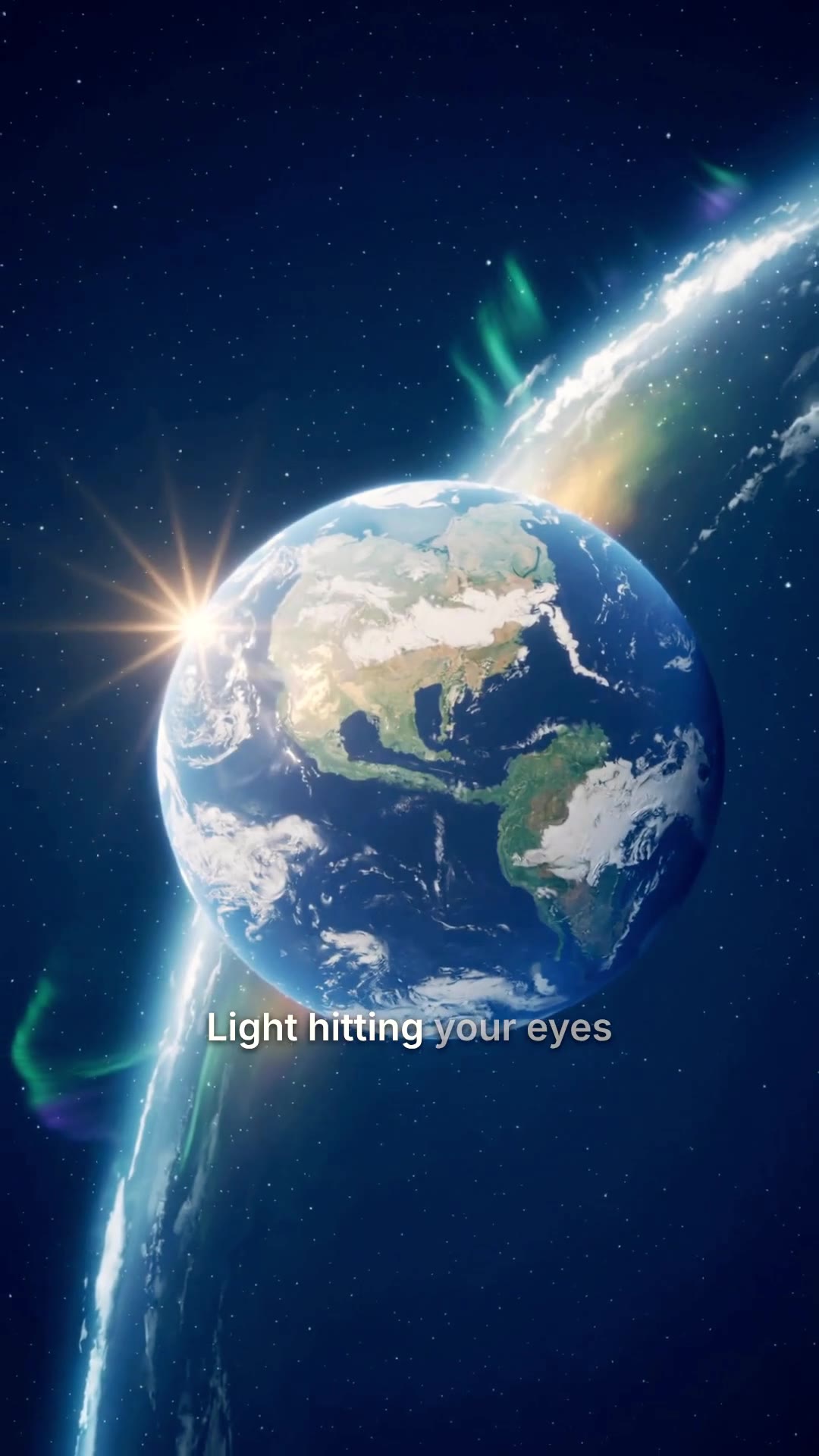
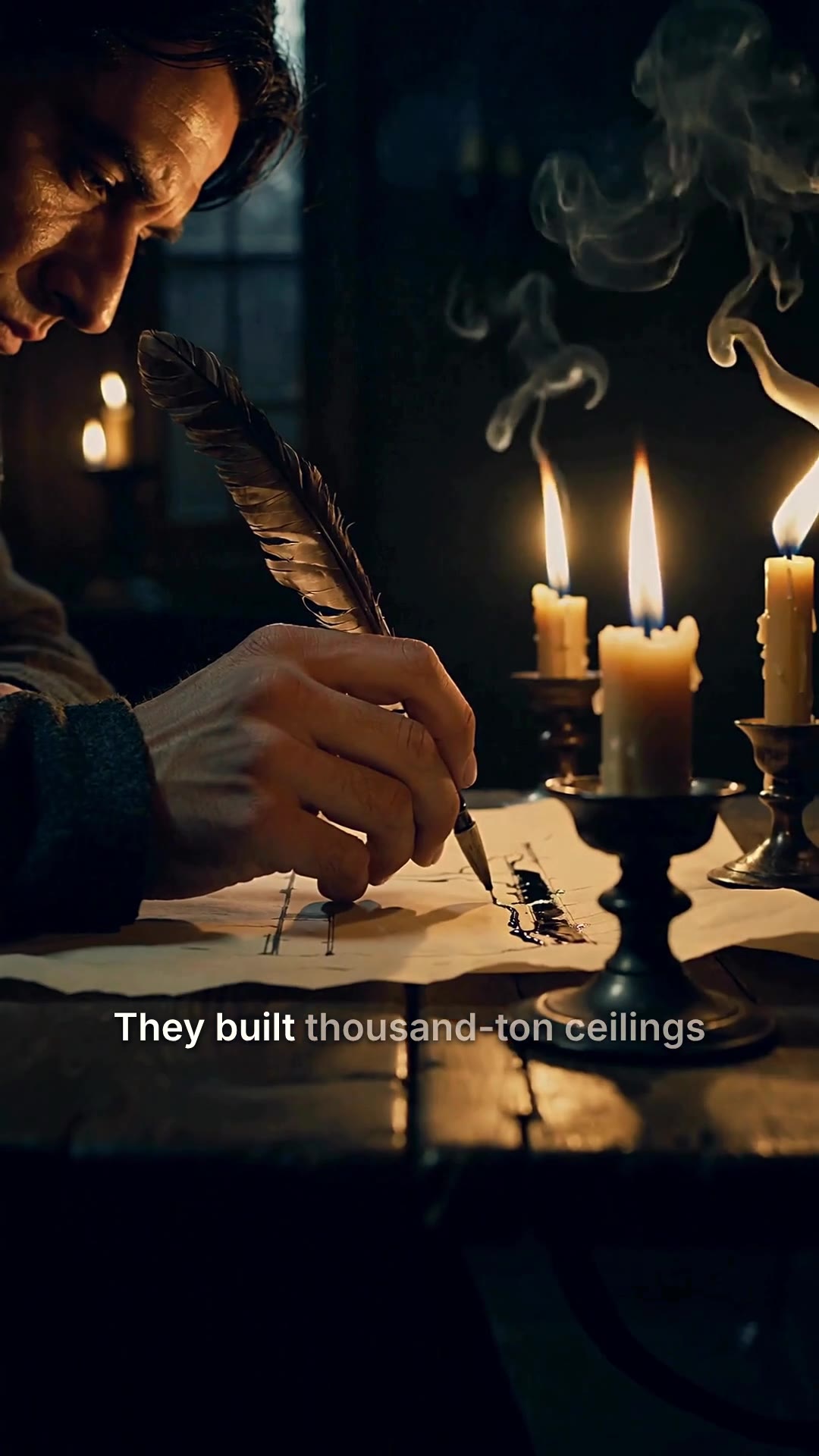
Real videos, made from a prompt


Four ways to make a video
Start from whatever you have, a one-line idea, a finished script, a presenter, or a single photo. Each runs the same pipeline.
Prompt to video
Turn a one-line idea into a finished, captioned clip. The pipeline writes the script and builds every scene.
Make a video from a promptScript to video
Already have the words? It narrates your exact script over cinematic AI scenes with word-by-word captions.
Turn a script into videoTalking avatar
A lip-synced AI presenter delivers your script, a spokesperson video without filming anything.
Make a talking avatarImage to video
Upload a single photo and animate it into a short, photoreal clip, true to your original image.
Animate an imageHow it works
How to make an AI video with MakeAIVideo
Four steps from a prompt, script, or photo to a finished MP4, the same pipeline behind every mode.
- 01
Type a prompt or paste a script
Start from one line for prompt-to-video, bring your exact words for script-to-video, or upload a single photo for image-to-video. The starting point shapes the workflow; everything downstream is automatic.
- 02
Pick a style and aspect ratio
Choose from 14 visual styles (cinematic, anime, claymation, more) and the aspect ratio for your platform: 9:16 for TikTok and Reels, 16:9 for YouTube, or 1:1 for square posts. The model frames every scene around your output.
- 03
Generate the video
MakeAIVideo writes any missing script, records a voiceover from a curated AI voice library, generates the scenes, times word-by-word captions, layers background music, and stitches the final MP4. Short clips render in roughly 90 seconds.
- 04
Edit or download
Each render lands in your library, watermark-free. Open it in the built-in editor to rewrite a caption, swap a voice, or re-roll a scene; or post the default output straight to your channel.
From idea to finished video
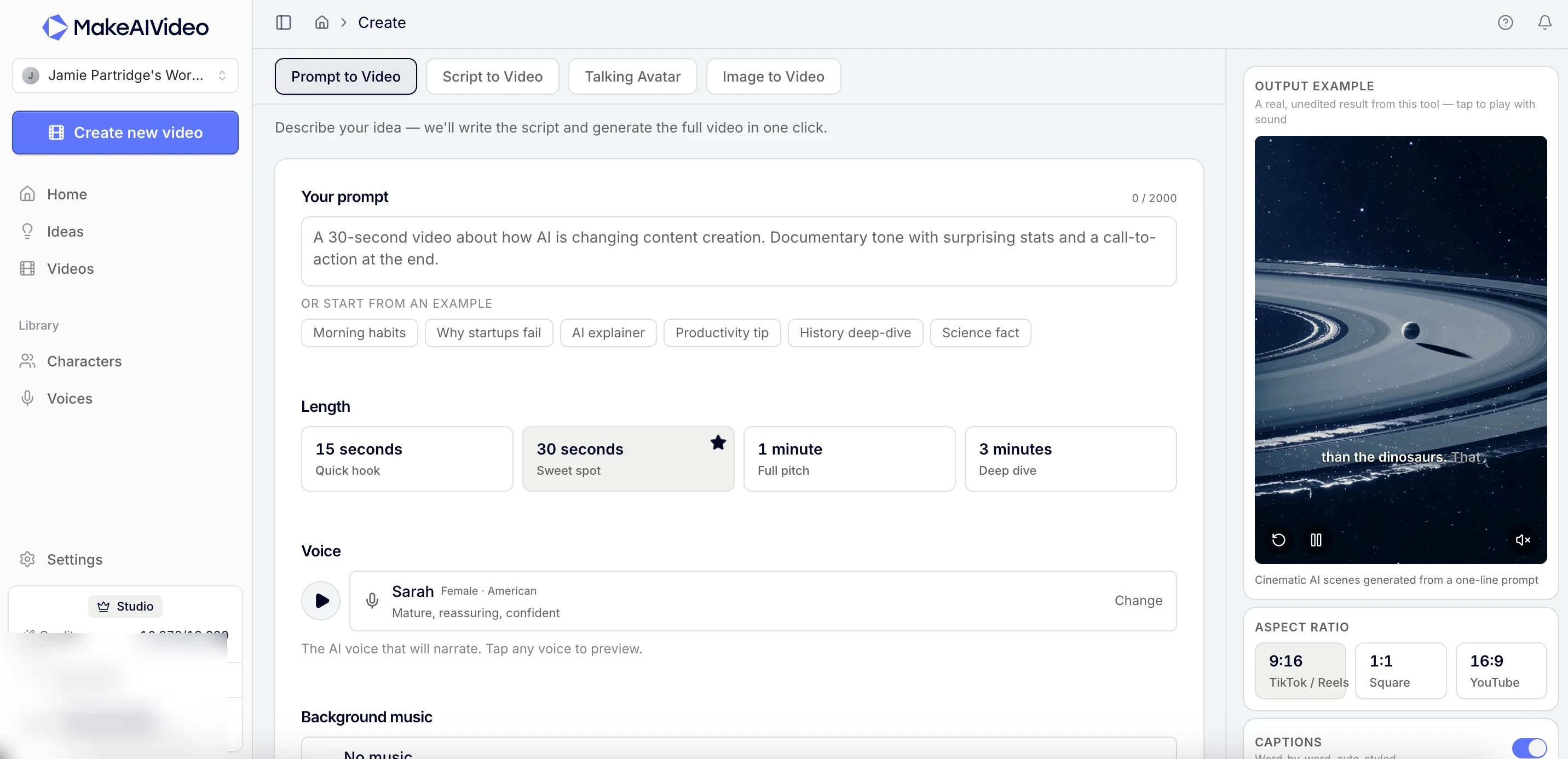
Describe it once. Get the whole video.
Type a line or paste a script and MakeAIVideo runs the full pipeline, script, AI voiceover, a scene per beat, captions, and music, then renders a finished MP4. Lead with an idea using prompt to video, or keep your exact wording with script to video.
- Auto-written script.
- A one-line idea becomes a paced script with a hook, body, and close.
- Studio AI voiceover.
- A natural narrator reads it, timed to each scene, with captions baked on.
- A scene per beat.
- Every line is matched to AI-generated footage in the style you pick.
Never start from a blank prompt
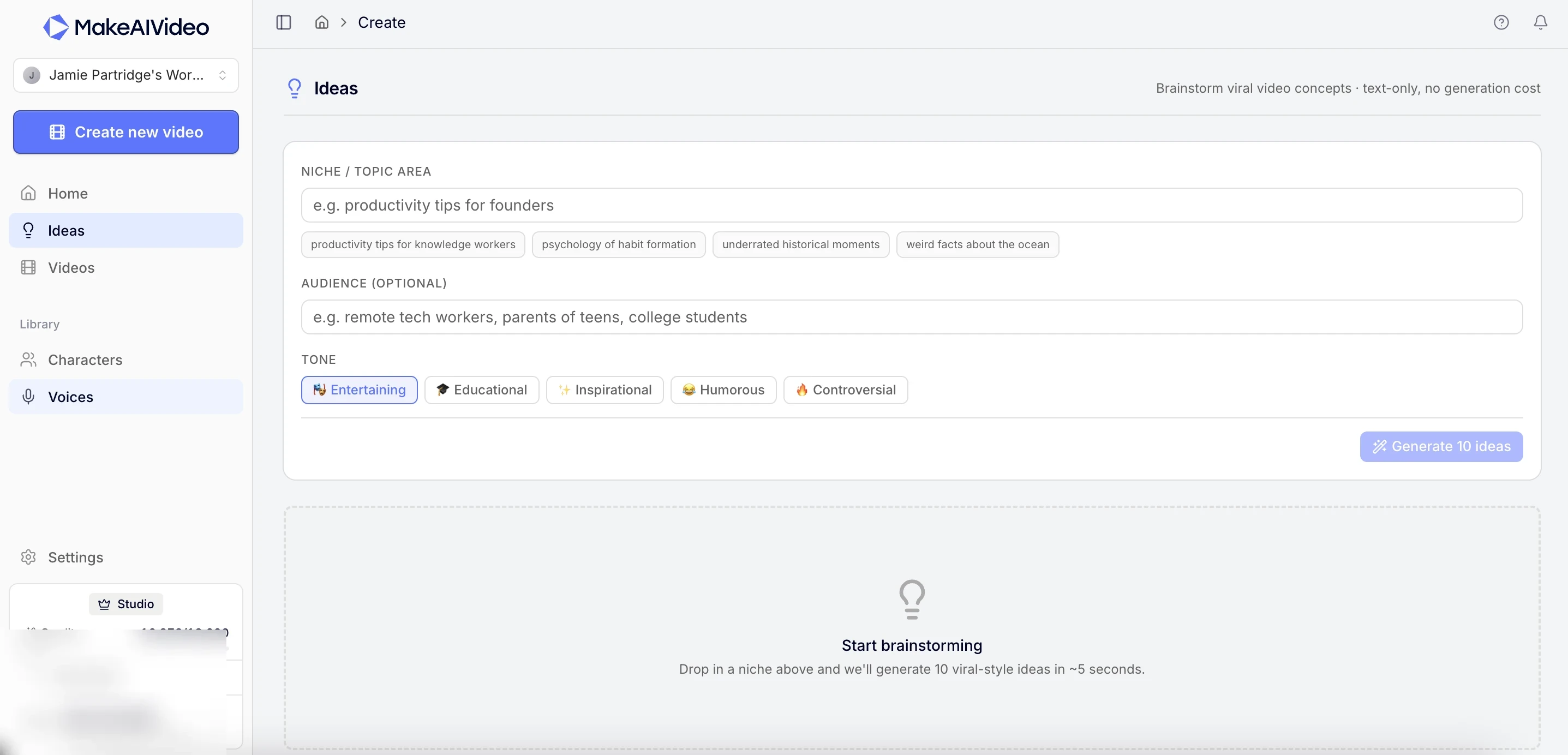
Out of ideas? Generate ten.
Drop in a niche and MakeAIVideo returns ten video concepts tuned to your audience and tone, then send one straight into a video. The same engine powers our free idea generator and hook generator, no signup required.
- Idea generator.
- Scroll-stopping concepts tailored to your niche, one click from a video.
- Hook-first scripts.
- Every draft opens with a hook built to survive the first three seconds.
- Any format.
- Explainers, faceless content, product stories, the pipeline adapts.
Your whole library
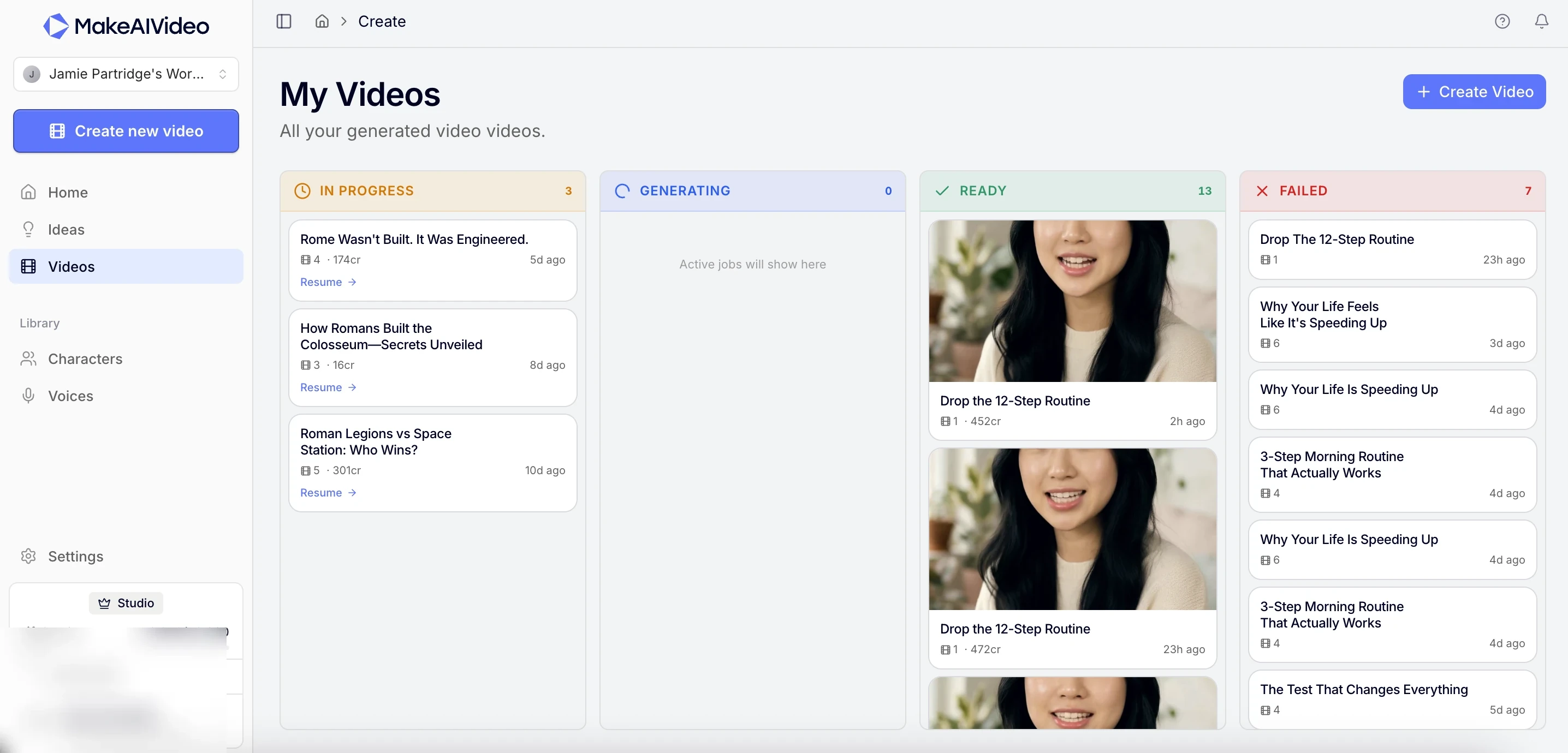
Every video in one place.
Track what's generating, ready to post, or needs a retry on one board. Reopen any project in the editor, re-render with changes, or download the MP4. Want a presenter on camera? Make a talking avatar. Animating a still photo? Use image to video.
- Render library.
- Every clip is saved, searchable, and one click from download or a re-edit.
- Edit after generating.
- Change a scene, fix a word, or restyle captions in the editor.
- Export anywhere.
- 1080p MP4 with captions baked in, sized for vertical, square, or wide.
All included
Everything a finished video needs
No add-ons and no second tool. Captions, voice, music, and export come through the pipeline on every render. See plans and pricing.
- 14 visual styles.
- Cinematic, anime, claymation, and more, applied across every scene.
- Every aspect ratio.
- Vertical for Reels and TikTok, square for feeds, wide for YouTube.
- Word-by-word captions.
- Eight presets, timed to the voiceover and burned into the export.
- Studio AI voices.
- A curated library of natural narrators to match your tone.
- Background music.
- Auto-matched tracks that duck under the narration.
- Watermark-free.
- Every export is clean and yours to post anywhere.
Ready to make your first AI video?
Start free trialWhat you can make with MakeAIVideo
MakeAIVideo fits whatever you need video for. A few of the most common contexts:
Marketing & ads
Spin up campaign creative without a production cycle. Iterate on hooks in minutes, not days.
Educational content
Turn outlines and lesson plans into watchable explainers with synced narration and visuals.
Brand storytelling
Communicate what you do consistently, on-brand, and at the cadence your audience expects.
Product demos
Walk through features without screen-recording fatigue. Update visuals as your product evolves.
Internal training
Document workflows for new hires. AI keeps voice and visual style consistent across modules.
Personal content
Build a presence without learning Premiere. Pick a style, write what you want to say, ship.
Why MakeAIVideo
The choices we made at MakeAIVideo so you can ship videos at the speed of thought.
End-to-end in seconds
From prompt to finished video. No 12-hour render queues, no manual stitching.
Everything in one tool
Script, voice, visuals, captions, music. No more chaining 5 different AI products.
Best-in-class AI models
Top video, image, and voice models. Picked, tuned, and routed for you per scene.
Frequently asked questions
Everything you might want to know about MakeAIVideo before signing up.
What is MakeAIVideo?
MakeAIVideo is an AI video generator that produces complete videos from a single prompt. Script, voiceover, scenes, and captions, all rendered and stitched into a finished file. It replaces the chain of separate tools (script writer, TTS, image generator, video editor) you'd otherwise wire together yourself.
How do I make an AI video from text?
Type your topic (or paste a script you've already written), pick a style (talking-head with an AI character, or cinematic narration over AI-generated scenes), and hit generate. MakeAIVideo writes any missing script, synthesises the voiceover, generates a unique scene per beat, bakes in captions, and stitches the final MP4. The whole process runs in your browser.
How long does it take to make an AI video?
Short clips render in a couple of minutes. A 30-second talking-head is usually ready in around two minutes. Longer videos take proportionally longer because the pipeline runs more scenes through AI video generation; a 5-10 minute cinematic with many scenes will take a few minutes rather than a couple.
Can I make AI videos for free?
Every plan includes a 7-day free trial. You enter a card at signup but you're not charged for the first 7 days and can cancel anytime in that window for no charge. There's no free forever tier for generation. We also publish several free tools (hook generator, idea generator, YouTube title generator, caption character counter) that work entirely in your browser with no signup at all.
How long can my AI videos be?
AI-generated mode supports videos up to 10 minutes. Stock-narrated mode (where MakeAIVideo pulls licensed footage instead of generating it) goes up to 30 minutes. Pick a duration with the slider; the credit estimate updates as you change length, so you always know the cost before generating.
Can I make AI videos for TikTok, Instagram Reels, and YouTube Shorts?
Yes, all three. MakeAIVideo outputs 9:16 portrait by default (the format that wins on every short-form platform), with TikTok-style word-by-word captions baked in. Landscape (16:9) and square (1:1) are also supported if you need different placements.
Can I make AI videos without showing my face?
Yes. Cinematic mode skips the on-screen presenter entirely. MakeAIVideo generates a unique AI scene per beat of your script and runs them under a narrator voiceover. It's the format behind most faceless TikTok channels, history-fact pages, and motivational-content accounts.
Do I need any video editing skills to make AI videos?
No. The whole pipeline runs from a single prompt. Script, voiceover, visuals, captions, and music are all generated and stitched automatically. There is a built-in editor if you want to rewrite captions word-by-word, adjust music volume, or tweak the project before re-rendering, but using it is optional.
Can I make AI videos in different languages?
For now, MakeAIVideo generates in English, with a curated library of natural AI voices for narration and talking-head videos. Captions are timed to the spoken track. Wider language support is on the roadmap.
What kind of videos can I make?
Anything that fits a script: marketing creative, explainers, brand stories, product demos, training content, personal content. You're not locked into a particular format or aspect ratio. Pick portrait, landscape, or square. Pick a talking head or a narrated cinematic. Both come out broadcast-ready.
What AI technology powers MakeAIVideo?
MakeAIVideo runs on a curated stack of leading AI models: language models for scripts, neural voice synthesis for voiceovers, and state-of-the-art generative models for video and imagery. You don't pick or configure them; MakeAIVideo routes each step to the model best suited for the job and updates the stack continuously as the frontier moves.
Can I edit the video after it's generated?
Yes. Every video opens in an editor where you can rewrite captions word-by-word, adjust music volume, tweak the project, and re-render with your changes. More granular controls (scene-by-scene regeneration, music library swap) are rolling out as we expand the editor surface.
How does pricing work?
We use a credit-based model: generation costs scale with video length and the rendering pipeline you pick (cinematic, smart-mix, or stock-narrated). Plans start at $29/month for Starter (1,500 credits), $59 for Creator (3,500 credits), and $149 for Studio (9,000 credits). Annual billing saves 17%. See the /pricing page for the full breakdown.
Can I use my own characters?
Yes. Upload a reference image and MakeAIVideo will generate consistent character shots from it across every scene. Voice selection comes from a curated library of natural AI voices.
Is there a free trial?
Yes. Every plan starts with a 7-day free trial. You enter your card at signup but you're not charged for the first 7 days, and you can cancel anytime in that window for no charge. After the trial, billing kicks in at the plan you chose. The free tools are separately free with no signup at all.
Pricing
7-day free trial on every plan. See full pricing →
Ready to make your first AI video with MakeAIVideo?
Try free for 7 days. $0 due today. Cancel anytime in the trial window for no charge.